


Новое поступление

HUD Автомобильный дисплей для Lexus NX 2013-2017 вождения Sn OBD данных проектор лобовое

Автомобильный TuningBox педаль Commander дроссельная заслонка ускоритель электронный

Универсальный Q7 5.5 "Авто HUD GPS Head Up Дисплей OBD II 2 overspeed Предупреждение

Автомобильный проектор на лобовое стекло A100S OBD2 II EUOBD | Автомобили и мотоциклы
2 020,25 руб.

Проектор Автомобильный Универсальный диагональю 2 дюйма со спидометром и
5 564,36 руб.

Head Up Display Car Windscreen M9 Speedmeter Driver's Safety Warning System Projector 5.5'⟊r HUD OBD2 | Автомобили и
4 955,23 руб.

ParAdise Kars trip computer HUD Spartak Luyi Hu Impreza Forester | Автомобили и мотоциклы

Panther Store
Магазина Panther Store работает с 28.03.2023. его рейтинг составлет 100 баллов из 100. В избранное добавили 17 покупателя. Средний рейтинг торваров продавца 5 в продаже представленно 59 наименований товаров, успешно доставлено 0 заказов. 1 покупателей оставили отзывы о продавце.
Характеристики
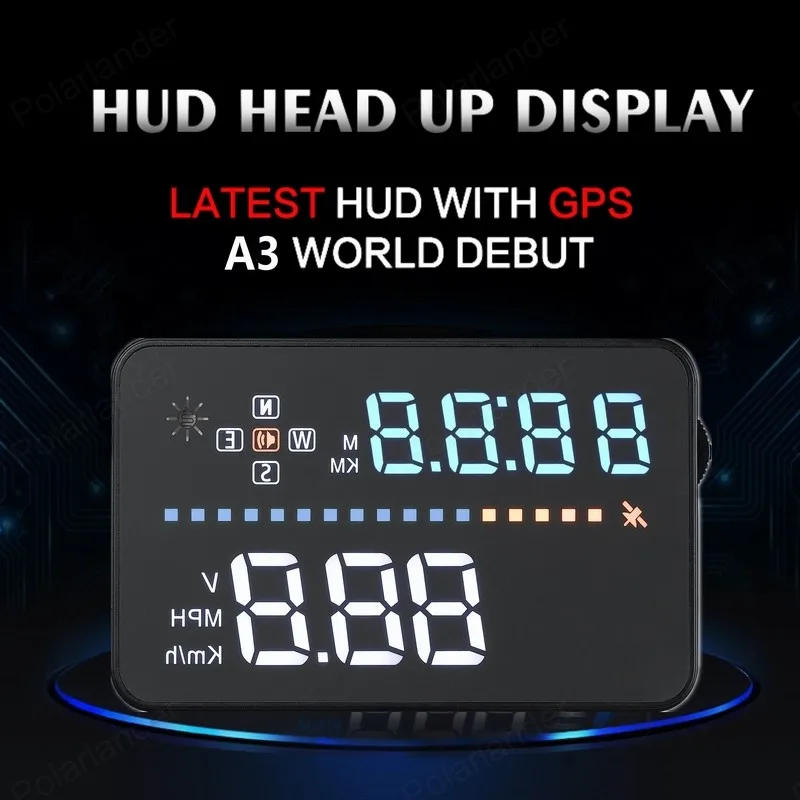
Interface Satellites Time 3.5 inch screen hot sale Speeding Warning Head Up Display Brand new GPS Hud With OBD A3 | Автомобили и
История изменения цены
*Текущая стоимость уже могла изменится. Что бы узнать актуальную цену и проверить наличие товара, нажмите "Добавить в корзину"
| Месяц | Минимальная цена | Макс. стоимость | Цена |
|---|---|---|---|
| Mar-18-2026 | 0.91 руб. | 0.16 руб. | 0 руб. |
| Feb-18-2026 | 0.44 руб. | 0.83 руб. | 0 руб. |
| Jan-18-2026 | 0.81 руб. | 0.70 руб. | 0 руб. |
| Dec-18-2025 | 0.51 руб. | 0.92 руб. | 0 руб. |
| Nov-18-2025 | 0.19 руб. | 0.36 руб. | 0 руб. |
| Oct-18-2025 | 0.60 руб. | 0.62 руб. | 0 руб. |
| Sep-18-2025 | 0.38 руб. | 0.2 руб. | 0 руб. |
| Aug-18-2025 | 0.57 руб. | 0.41 руб. | 0 руб. |
| Jul-18-2025 | 0.75 руб. | 0.38 руб. | 0 руб. |
Описание товара


User manual for Head Up Display
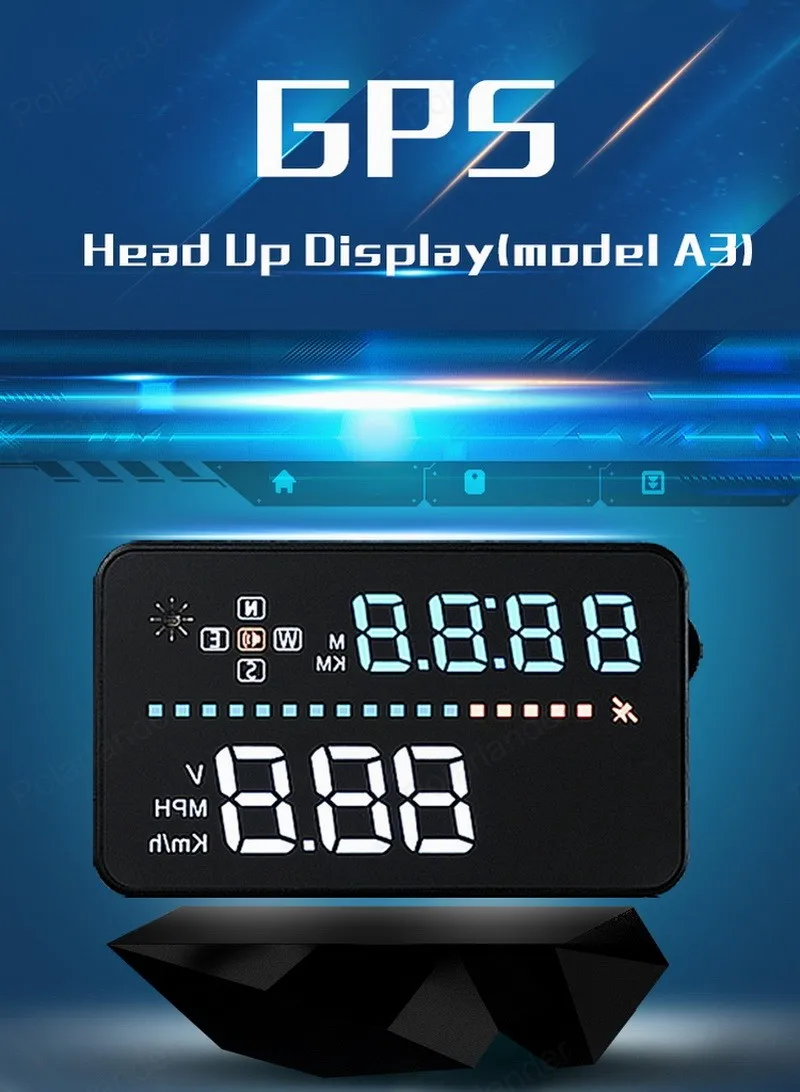
Model:A3
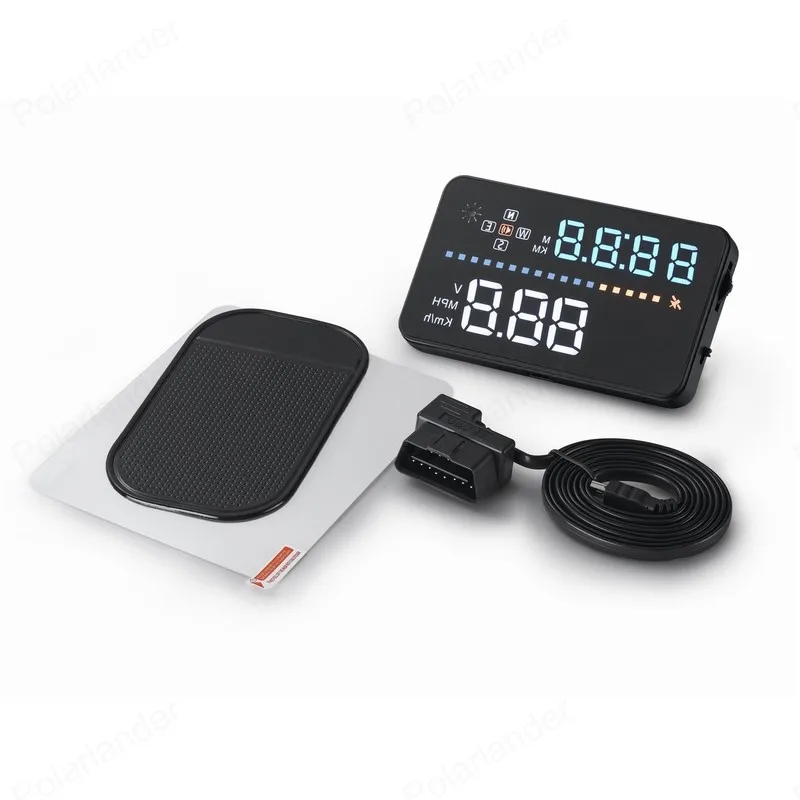
HUD short for Head Up Display.It displays driving datas on the front windshield such as speed on the car front window glass;avoiding drivers unsafety because of watching the instrument while driving.Drivers can read the driving information instantly , and can always keep the best state on the way with HUD.
HUD Main Functions&Features:
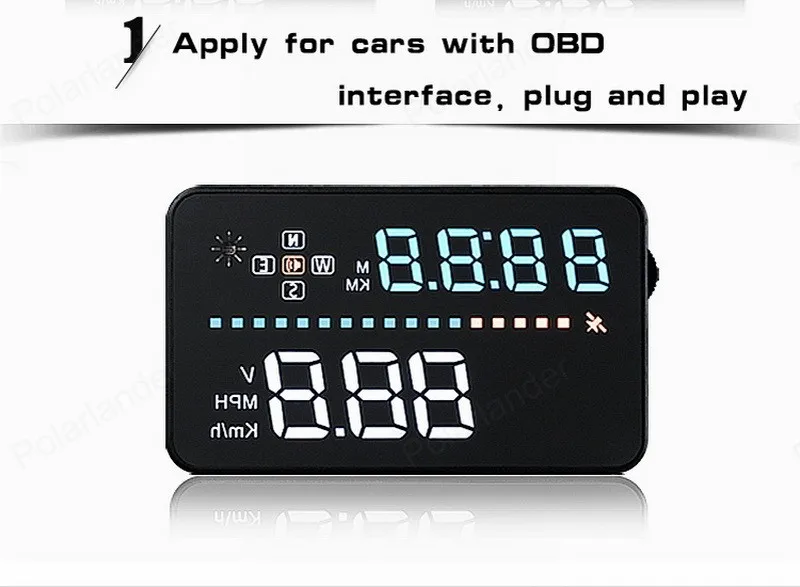
1. Available for any car, easy to install, plug and play
2. Screen 3.5 inch HD display
3. Multi-color design makes the screen more abundant and easier to read
4. Nano-technology to eliminate double reflections,more clear.
5. Rich Contents: speed,compass,single driving time and distance, local time,satellite number, altitude, speed alarm,free switch between km and miles
6. Auto power on/off: HUD start and off with vehicle started and shutdown, effective protection of the car battery;retaining the manual switch mode,more easy to control HUD.
7. Automatic and manual brightness adjustment mode,driving without glare.
Button Function:
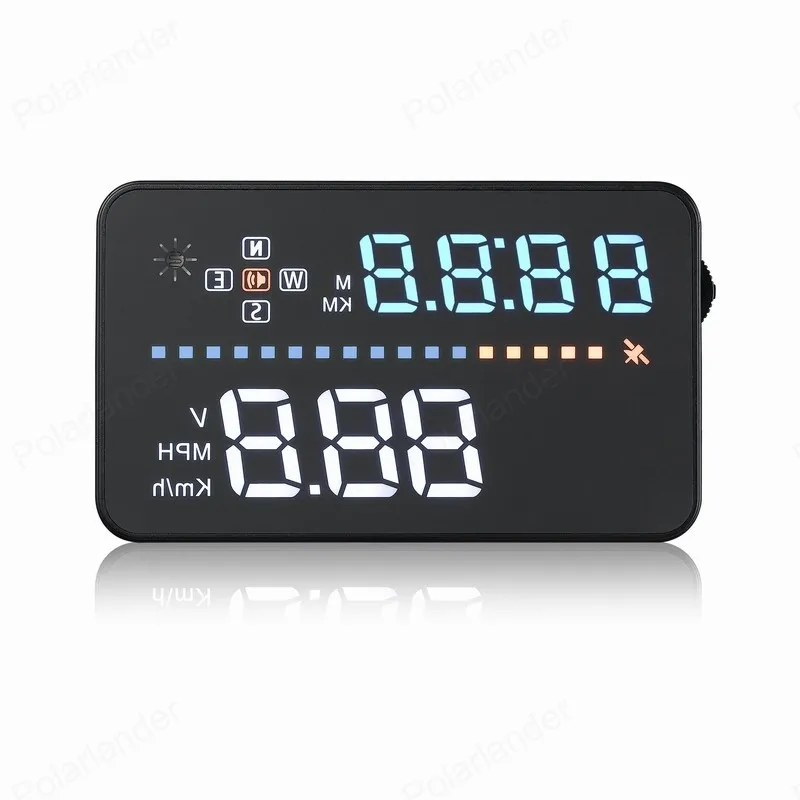
1: Icon for satellite signal: the light flashes when HUD searching for the satellite signal
2:Speed,voltage
3:Clock, driving distance,driving time
4: driving distance unit (KM and Mile)
5: light-sensor
6: Driving directions:west,north,east,south
7: Buzzer icon
8: Number for satellite
9: Voltage ,speed
Host keys function:
1. USB cable port
2. Power switch
3.Setting button:Three way wave button, short or long press
a.Up button = up motion
b.Ok button = inward button press
c.Down button = down motion
Wave Button Function:
When the dial on the left
1. Vertical long Press 5 seconds: enter into setting menu(menu 1-8),after finish adjustment vertical long press 5 seconds to save.
2. Short pull up:Increasing parameter values after enter into menu setting.
3. Short pull down: Decreasing parameter values after enter into menu setting.
4. Vertical Short press:Switch between clock,driving distance,driving time(enter into menu option,vertical short press to adjust menu option)
5. Long pull down: turn on or off the alarm sound.
Reset setting:
When HUD is power on, vertically long press 5 seconds to enter into menu setting, short press for several times to menu 8, short pull down to parameter 1, after adjustment,long press in 5 seconds to save, then the reset will be finish.
Switching display contents:
Vertical short press:Switch between clock,driving distance,driving time
Turn on and off the buzzer:
Pull down the wave button 5 seconds to turn off the buzzer,another 5 seconds to turn on the buzzer.
Clock Adjustment:
Make sure your GMT(the default is GMT+8).According to your time zone to adjust HUD.Vertical press 5 seconds to enter into menu setting,short press 6 times to menu 6,parameter shows 8 (means GMT +8)up or down the wave button adjust to the time zone of your own country,and then vertical press in 5 seconds to return to the previous page.
HUD adjustment Code | Region | GMT |
0 | United Kingdom, Iceland, Ireland, Portugal | UTC |
1 | Norway, Sweden, Denmark, Poland, Germany, France, Netherlands, Spain, Italy | GMT+1 |
2 | Finland, Belarus, Ukraine, Romania, Turkey, Israel, Egypt, South Africa | GMT+2 |
3 | Russia, Saudi Arabia, Bahrain, Kenya, Iran | GMT+3 |
4 | Mauritius, United Arab Emirates, Afghanistan, Seychelles | GMT+4 |
5 | Pakistan, Turkmenistan, Sri Lanka, India | GMT+5 |
6 | Bangladesh, Kazakhstan, Bhutan, Nepal | GMT+6 |
7 | Vietnam, Laos, Cambodia, Thailand, Indonesia | GMT+7 |
8 | (The default time zone) China, Malaysia, Singapore, Philippines, Hong Kong, Taiwan, Macau | GMT+8 |
9 | Japan,Korea | GMT+9 |
10 | Australia, Guam | GMT+10 |
11 | Solomon Islands, Vanuatu | GMT+11 |
12 | New Zealand, Fiji | GMT+12 |
13 | Azores | GMT-1 |
14 | Mid-Atlantic, Cape Verde | GMT-2 |
15 | Brazil, Argentina, Uruguay | GMT-3 |
16 | Venezuela, Bolivia, Paraguay, intelligence | GMT-4 |
17 | Canada, Panama, Cuba, New York | GMT-5 |
18 | Mexico | GMT-6 |
19 | Salt Lake City | GMT-7 |
20 | California, California, San Francisco | GMT-8 |
21 | East Alaska | GMT-9 |
22 | Hawaii | GMT-10 |
23 | Samoa, Midway | GMT-11 |
HUD settings:
Since HUD receiving data from satellite,GPS data will be a little different with car dashboard data.At that time,you can enter into menu setting to have a fine adjustment of HUD in order to get the same data as dashboard.If you find there is something different with the the dashboard values,please make an adjustment as below:
Vertically press in the wave button 5 seconds:
Enter into the menu setting (there are 3 directions for wave button: up,vertical,down),vertical long press, enter the menu setting,vertical short press 1 time , menu options will increase 1 unit,up and down the wave button to increase or decrease the parameter value. After adjustment,vertical long press 5 seconds to return the previous interface.
Use and installation for reflection film:
Please Note: HUD projects dashboard information on the car front windscreen , because the windscreen is double, which will make double reflection on the windscreen when it works.The double reflection will be different cause of the different windscreen.If you can see clear of the displaying information, then there is no need to use the reflection film. If there is a double image, then please use the reflection film.
First, please put the non-slip mat on the dashboard, and then put HUD on it.Reflection film can be stick to the position right above the HUD position which can reflect host screen to windscreen.
Methods of pasting the film:
1.Spray some water on the place that the film will be pasted on,and then use a dry cloth to clean it;
2. Take off the back side(marked 1) of reflection film,then paste it to the window glass.
3. After you have adjusted the location, you can use a scratch board or something else flat to slick the film and squeeze the water inside out until there is no bubble or water in it.
4. Take off the protection film (marked 2) of the reflection film. If the film cannot display the whole information, please adjust the non-slip mat to move the position.
HUD Specifications:
working voltage | DC8-18V |
Working current | 40mA |
sleeping current | 15mA |
Compass precision | ±1° |
Speed range | 0-400KM |
Real time precision | The same as satellite |
Satellite positioning time | Cold start: 30s, hot start: 1s |
HUD size | 88*53*13mm |
12V car charger | 1000mA |
HUD weight | 40g |
Solution for Common Problems
1. HUD screen without any display,and no power
Checking the car charger cable if it is tight, pull down the OBD cable repeatedly inserted several times, check the HUD switch if it powers on. If there still no display please try another car to test and analyze whether the car cigarette lighter interface is bad, if it is a bad cigarette lighter, please try to connect the cable line to the car battery.
2. No speed ,HUD powers off after 20s or HUD can not be automatically power on or repeated power-off
When the start voltage is less than 13.2V, HUD cannot power on. Pls start the engine, then long press in the wave button for 5s to enter into setting menu, short press the wave button 7 times to menu 7, up or down the wave button to adjust the voltage from 132 to 128, then HUD can power on.
3.HUD cannot be automatically power off after the car is turned off
HUD designed default voltage value is 13.2v, when voltage is above 13.2v,it will auto power on,when it lower than 13.2v,it will auto power off.When HUD cannot be automatically power off,please vertical press in 5 seconds to enter into menu setting,adjust it to menu 7,parameter 135 or higher,please note the value couldn’t be too high in order to HUD cannot be automatically power on if it not reach the working voltage.
4.Inaccurate Speed
When HUD is power on,vertical press the wave button 5 seconds to enter into the menu options, here menu option shows 0,parameter shows 107,up or down the wave button to increase or decrease the value according to the difference until it shows correct one.After adjustment, vertical press in 5 seconds to save.
5.Over speed Alarm
The default value for over speed alarm is 120,users can choose to increase/decrease the value by yourselves.
When HUD is power on,vertical press in the wave button 5 seconds to enter into the menu option,short press 1 time that time menu option shows 1, the parameter shows 120,it represents HUD will give an alarm when it reaches 120, then pull up or down the wave button to increase or decrease, after adjustment,vertical press 5 seconds to save.
6.See not clearly when HUD under the sunlight.
Check whether the HUD host protective film is torn,and please stick the reflection film in the gift box corresponding on the windscreen.
7.wrong operation lead to crashes. Or inaccurate datas
Do a reset setting.
8.Inaccurate Time
Make sure your GMT(the default is GMT+8).According to your time zone to adjust HUD.Vertical press 5 seconds to enter into menu setting,short press 6 times to menu 6,parameter shows 8 (means GMT +8)up or down the wave button adjust to the time zone of your own country,
Смотрите так же другие товары: