


Новое поступление
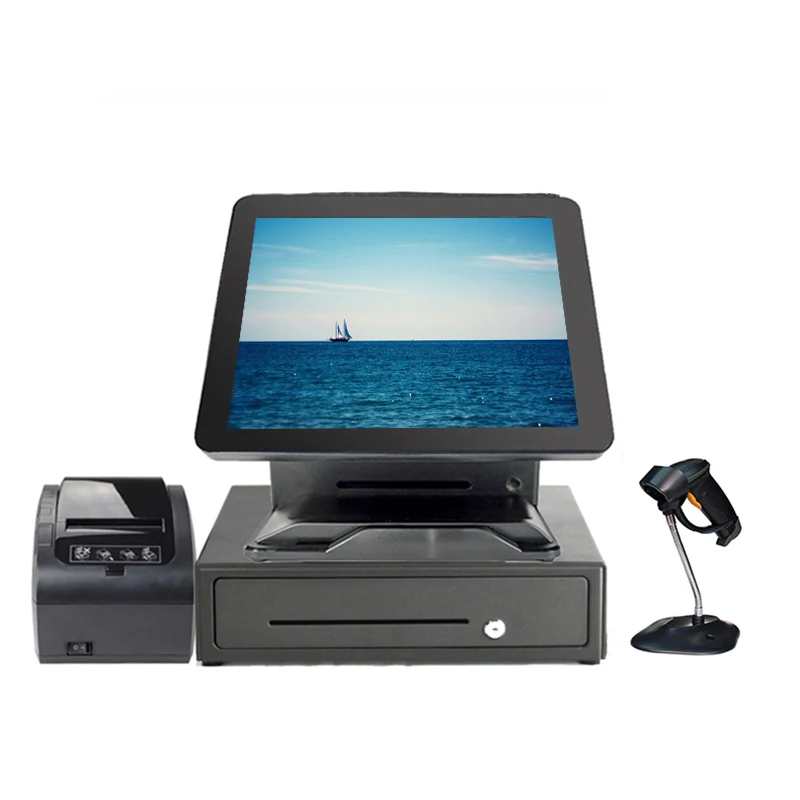
Wholeset 15 inch Touch Screen terminal Cashier All In One Pos Machine for Salon Point Of Sales | Компьютеры и офис
34 565,90 руб.

Оригинальная плата драйвера Ls19b300nw/XF материнская для Samsung S19b300nw | Компьютеры и офис
804,71 руб.

Плата драйвера LP2475W 715T2972-1/-2 материнская плата с экраном LG LM240WU4 | Компьютеры и офис
3 049,93 руб.

hot sale 18.5 inch lcd monitor 5-wire Resistive touch Desktop | Компьютеры и офис
19 457,71 руб.

TOPWILLING 17 3 дюймов 1080P HDR IPS игровой портативный монитор для PS4 XBOX NS Type C | Компьютеры и
25 685,15 руб.

Дешевые 15 дюймов сенсорный экран pos системы все в одном ПК подходит для ресторана
42 510,27 руб.

16 1 дюймовый встроенный игровой ноутбук с раздельным экраном 1920*1080 USB Type-C
13 739,70 руб.

WS Development Tool Store
Магазина WS Development Tool Store работает с 22.06.2011. его рейтинг составлет 92.31 баллов из 100. В избранное добавили 3228 покупателя. Средний рейтинг торваров продавца 4.7 в продаже представленно 1298 наименований товаров, успешно доставлено 4902 заказов. 156 покупателей оставили отзывы о продавце.
Характеристики
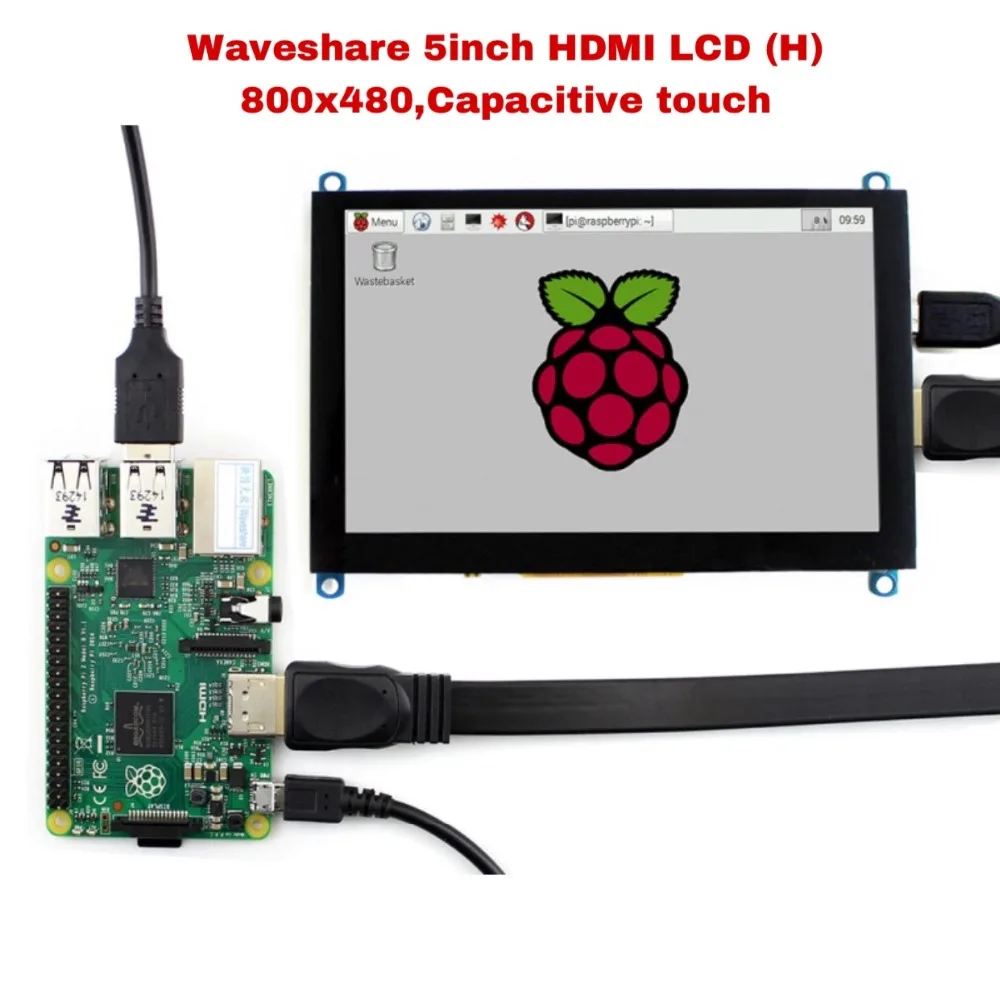
Waveshare 5inch HDMI LCD (H) 800x480 Capacitive Touch Screen Tablet interface Support Raspberry Pi BB Black Banana | Компьютеры и офис
История изменения цены
*Текущая стоимость 4 553,99 уже могла изменится. Что бы узнать актуальную цену и проверить наличие товара, нажмите "Добавить в корзину"
| Месяц | Минимальная цена | Макс. стоимость | Цена |
|---|---|---|---|
| Feb-18-2026 | 5782.65 руб. | 5898.4 руб. | 5840 руб. |
| Jan-18-2026 | 4690.4 руб. | 4784.25 руб. | 4737 руб. |
| Dec-18-2025 | 5691.7 руб. | 5805.13 руб. | 5748 руб. |
| Nov-18-2025 | 5646.68 руб. | 5759.64 руб. | 5702.5 руб. |
| Oct-18-2025 | 4507.40 руб. | 4597.62 руб. | 4552 руб. |
| Sep-18-2025 | 5555.83 руб. | 5666.95 руб. | 5610.5 руб. |
| Aug-18-2025 | 5509.1 руб. | 5619.73 руб. | 5564 руб. |
| Jul-18-2025 | 5464.29 руб. | 5573.82 руб. | 5518.5 руб. |
Описание товара


DESCRIPTION
5inch, 800x480, Capacitive Touch Screen LCD, HDMI interface, Supports Multi mini-PCs, Multi SystemsFeatures
- ● 800x480 hardware resolution, configurable by software (up to 1920x1080)
- ● Capacitive touch control
-
● Supports popular mini PCs such as Raspberry Pi, Jetson Nano, BB Black, Banana Pi, as well as general desktop computers
- When works with Raspberry Pi, supports Raspbian/Ubuntu/Kali/Retropie/WIN10 IOT, driver free
- When work as a computer monitor, supports Windows 10/8.1/8/7, five-points touch, and driver free
- ● Supports popular game consoles like Microsoft XBOX360, Sony PS4, and Nintendo Switch, etc.
- ● Multi languages OSD menu, for power management, brightness/contrast adjustment, etc.
- ● 3.5mm audio jack, speaker connector, supports HDMI audio output
- ● Also supports VGA input (specific cable is required and should be purchased separately)
Using with Game Consoles

Note:
- ● Limited by the game console OS, the touch function is unavailable.
- ● Sound support means, it is possible for the game console to output sound signal via LCD embedded speaker, external speaker interface, or earphone jack.
Photos
Connect To Raspberry Pi 4

Connect To Jetson Nano

Connect To mini PC


External Dimension

Development Resources
Wiki : www.waveshare.com/wiki/5inch_HDMI_LCD_(H)
FAQ
- Why the LCD doesn't work with my Raspbian?
-
To use the LCD with the Raspberry Pi official image, driver should be installed first. Please refer to the user manual.
However, for the first testing, you may want to use our provided image directly. - Why the LCD still doesn't work with the Waveshare provided image?
-
Make sure the hardware connection is correct and connects fine.
Make sure the image in TF card is burnt correctly.
The PWR will keep on and the ACT will keep blinking when the Raspberry Pi starts up successfully, in case both of the two LEDs keep on, it is possible that the image was burnt incorrectly OR the TF card was in bad contact. - Which power supply should I use?
-
It is recommended to use a 5V/2A power adapter for the Raspberry Pi other than USB connection, otherwise the Pi may failed to start up because the PC's USB port might have not enough power.
For large size LCDs, say, 10inch diagonal or more, another stand-alone power adapter is also required to provide power to the LCD.
For more info, please check the wiki page.
Selection Guide
| PART NUMBER | RESOLUTION | DISPLAY INTERFACE | FOR USE WITH | DIMENSION (MM) | TOUCH PANEL TYPE | TOUGHENED GLASS COVER | DISPLAY TECH. | SOUND | POPULAR GAME CONSOLES | HOW YOU FEEL |
|---|---|---|---|---|---|---|---|---|---|---|
| GPIO Displays | ||||||||||
| 2.8inch RPi LCD (A) | 320×240 | SPI | Pi | As Pi 3B+ | Resistive | × | TFT | × | × | ★☆ |
| 3.2inch RPi LCD (C) | 320×240 | High-Speed SPI | Pi | As Pi 3B+ | Resistive | × | TFT | × | × | ★★ |
| 3.5inch RPi LCD (B) | 480×320 | SPI | Pi | As Pi 3B+ | Resistive | × | IPS | × | × | ★★☆ |
| 3.5inch RPi LCD (C) | 480×320 | High-Speed SPI | Pi | As Pi 3B+ | Resistive | × | TFT | × | × | ★★★ |
| 4inch RPi LCD (C) | 480×320 | High-Speed SPI | Pi | 96 × 61 | Resistive | × | TFT | × | × | ★★★ |
| HDMI / Type-C Displays | ||||||||||
| 3.5inch HDMI LCD | 480×320 | HDMI | Pi | As Pi 3B+ | Resistive | × | IPS | √ | √ | ★★★☆ |
| 4inch HDMI LCD (H) | 480×800 | HDMI | Pi | 99 × 58 | Resistive | × | IPS | √ | × | ★★★★ |
| 4.3inch HDMI LCD (B) | 800×480 | HDMI | Not only Pi | 106 × 68 | Capacitive | × | IPS | √ | √ | ★★★★☆ |
| 5inch HDMI LCD | 800×480 | HDMI | Pi | 121 × 78 | Resistive | × | TFT | × | × | ★★★★ |
| 5inch HDMI LCD (B) | 800×480 | HDMI | Not only Pi | 121 × 76 | Resistive | × | TFT | × | × | ★★★★☆ |
| 5inch HDMI LCD (G) | 800×480 | HDMI | Not only Pi | 121 × 76 | Resistive | × | TFT | √ | √ | ★★★★☆ |
| 5inch HDMI LCD (H) | 800×480 | HDMI | Not only Pi | 121 × 76 | Capacitive | √ | TFT | √ | √ | ★★★★☆ |
| 5.5inch HDMI AMOLED | 1080×1920 | HDMI | Not only Pi | 140 × 75 | Capacitive | √ | AMOLED | √ | × | ★★★★★ |
| 7inch HDMI LCD | 1024×600 | HDMI | Pi | 165 × 107 | Resistive | × | IPS | × | × | ★★★★ |
| 7inch HDMI LCD (B) | 800×480 | HDMI | Not only Pi | 165 × 107 | Capacitive | × | TFT | × | × | ★★★★☆ |
| 7inch HDMI LCD (C) | 1024×600 | HDMI | Not only Pi | 165 × 107 | Capacitive | × | IPS | × | × | ★★★★★ |
| 7inch HDMI LCD (H) | 1024×600 | HDMI | Not only Pi | 165 × 107 | Capacitive | ※ | IPS | √ | √ | ★★★★★ |
| 10.1inch HDMI LCD | 1024×600 | HDMI | Pi | 235 × 144 | Resistive | × | TFT | × | × | ★★★★ |
| 10.1inch HDMI LCD (B) | 1280×800 | HDMI | Not only Pi | 274 × 187 | Capacitive | √ | IPS | × | × | ★★★★★ |
| 10.1inch HDMI LCD (H) | 1024×600 | HDMI | Not only Pi | 257 × 162 | Capacitive | × | TFT | √ | × | ★★★★☆ |
| 11.6inch HDMI LCD (H) | 1920×1080 | HDMI | Not only Pi | 285 × 182 | Capacitive | √ | IPS | √ | √ | ★★★★★ |
| 13.3inch HDMI LCD (H) V2 | 1920×1080 | HDMI | Not only Pi | 330 × 208 | Capacitive | √ | IPS | √ | √ | ★★★★★ |
| 15.6inch HDMI LCD (H) | 1920×1080 | HDMI | Not only Pi | 387 × 232 | Capacitive | √ | IPS | √ | √ | ★★★★★ |
| 15.6inch FHD Monitor | 1920×1080 | HDMI / Type-C | Not only Pi | 373 × 238 | Capacitive | √ | IPS | √ | √ | ★★★★★ |
Note :
- Pi 3B+ means Raspberry Pi 3 Model B+
- If the LCD is intended to play videos, please choose the one with HDMI display interface for better experience.
- Toughened Glass Cover ※: the 7inch HDMI LCD (H) (with case) features toughened glass cover, while the 7inch HDMI LCD (H)uses a normal screen cover
Have a look :

PACKAGE CONTENT
Weight: 0.196 kg
Note: Raspberry Pi and Speaker (8Ω 5W) in the photos are NOT included.
- 1. 5inch HDMI LCD (H) x1
- 2. HDMI cable x1
- 3. HDMI to Micro HDMI Adapter x 1
- 4. USB type A plug to micro B plug cable x1
- 5. RPi screws pack (4pcs) x1
- 6. Quick start sheet x1

Смотрите так же другие товары: